

Instructions for Camera Ready
Prepare your Camera Ready Paper
- Please revise your paper based on the reviewers’ comments/suggestions, and comply with the IEEE two-column A4-size conference format (2026 ICIMTech Camera-Ready Template). The reviewer’s comments are available in the same Microsoft Conference Management Toolkit (CMT): https://cmt3.research.microsoft.com/ICIMTech2026. The minimum number of pages, including figures and references, is four (4), and the maximum number of pages, including figures and references, is six (6).
- Remember that the similarity score of the camera-ready paper should be low (a similarity index below 15% is acceptable for publication). The maximum file size allowed is 3 MB, and the file format is Adobe PDF (.pdf) without any encryption and/or passwords.
- The authors must ensure that the reviewers’ and meta-reviewers’ comments have been addressed in the final manuscript.
- All paper content, including figures and tables, must be in English. If the figures and tables are not in English, an English explanation must be added.
- The use of content generated by artificial intelligence (AI) in a paper (including but not limited to text, figures, images, and code) shall be disclosed in the acknowledgments section of any paper submitted to an IEEE publication. Our policy sets a maximum limit of 20% without acknowledgement. The AI system used shall be identified, and specific sections of the paper that use AI-generated content shall be identified and accompanied by a brief explanation regarding the level at which the AI system was used to generate the content. The use of AI systems for editing and grammar enhancement is common practice and, as such, is generally outside the intent of the above policy. In this case, disclosure as noted above is recommended.
How to Create PDFXpress
After you receive an email confirmation from the ICIMTech 2026 committee to create pdf express paper from your final paper, you must follow these steps:
- Proofread your source document thoroughly to confirm that it will require no revision.
- Please go to https://ieee-pdf-express.org
- Enter the following conference ID: 71078X
- Log in to the PDF Express Website. If you do not have an account, please create one.
- After logging in, Click Dashboard, then click the Create New Title button. This form will appear.
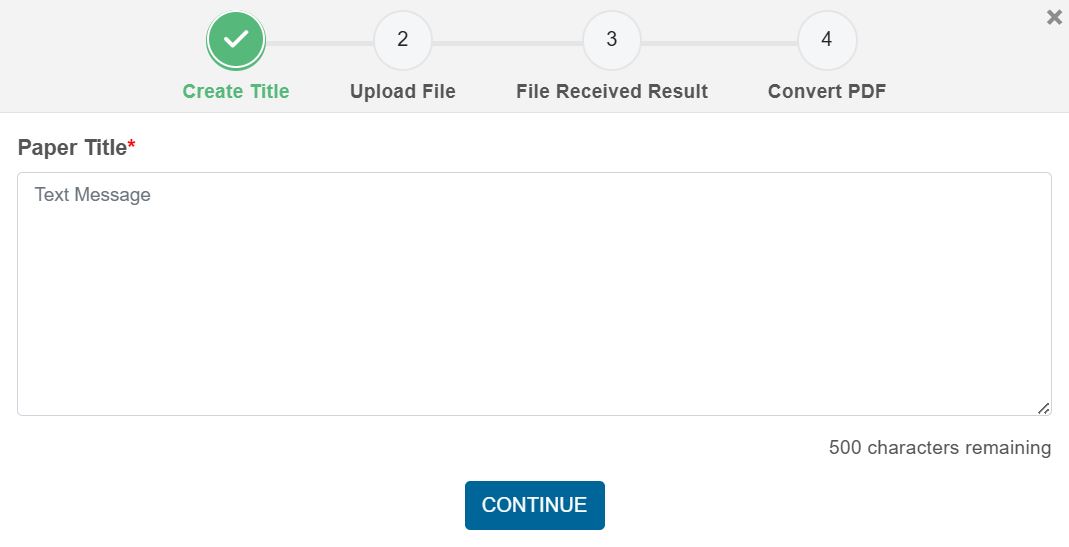
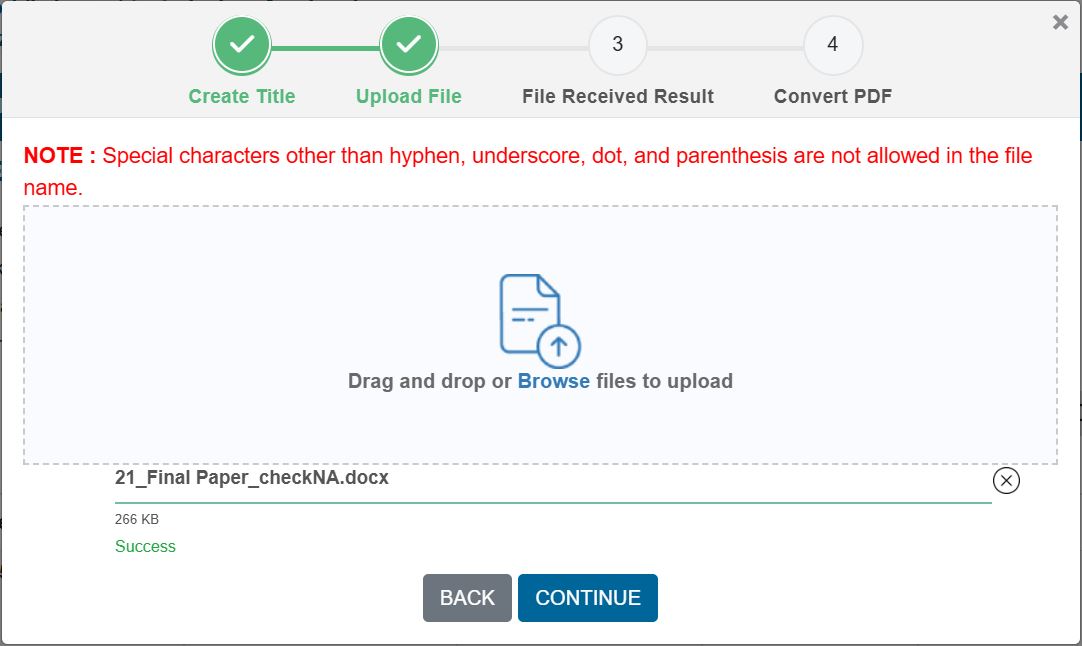
- Enter your paper title, click continue, then upload your file (attached), then click continue.
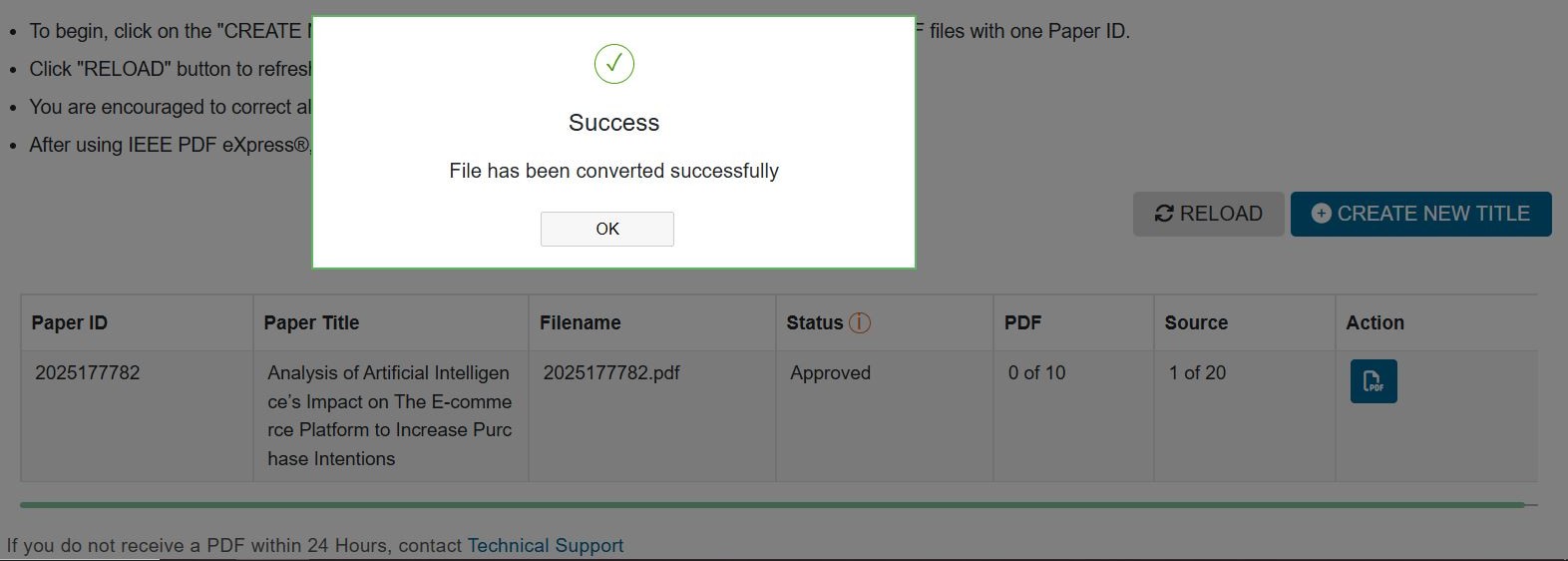
- After the conversion process, this form will appear, and IEEE will send an email to you for notification.
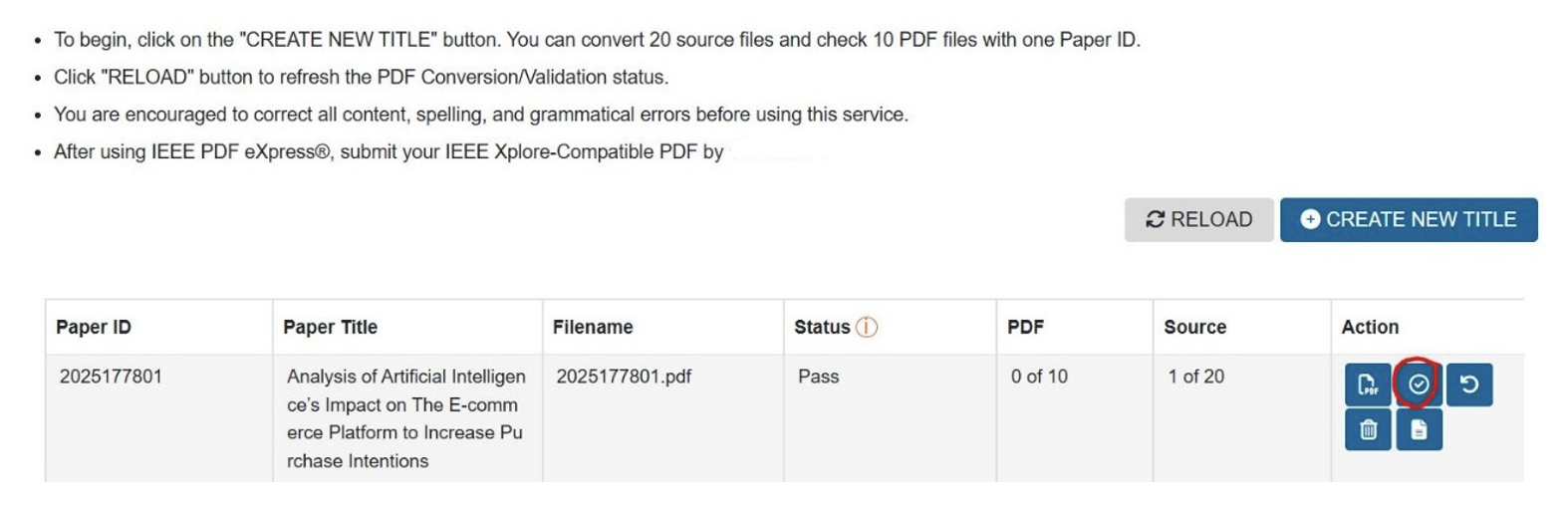
- In the Action column, click approve as seen below:
- Once this confirmation appears, your PDF Express paper is complete.
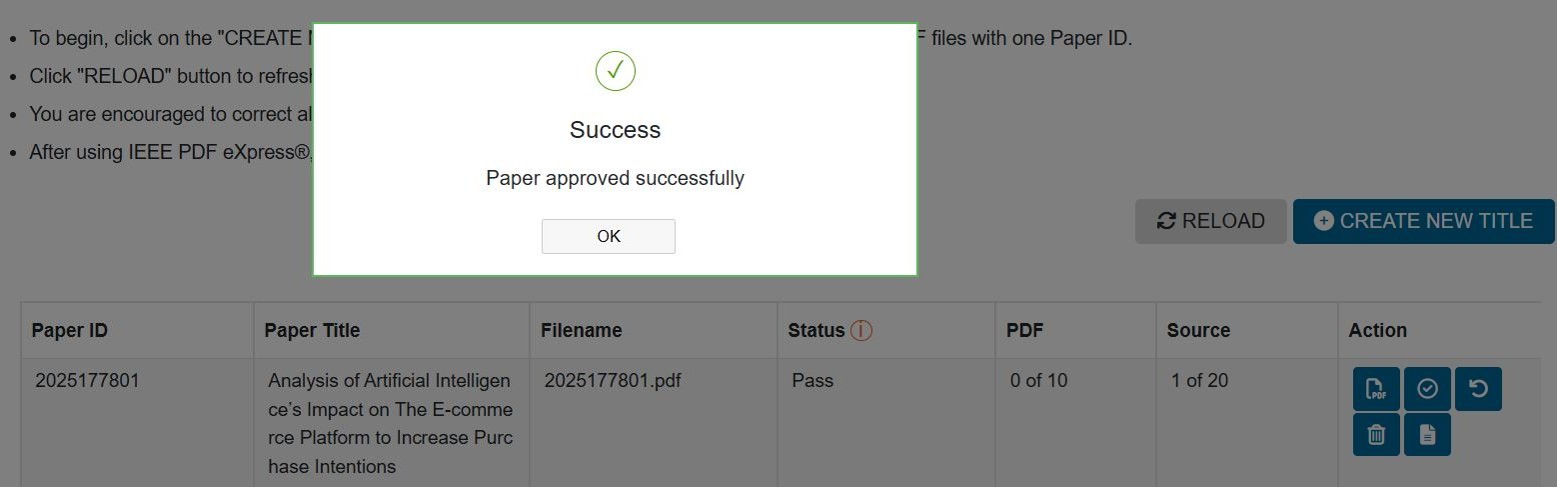
- You must download the result of your PDF Express paper and make sure no content is missing or misplaced. If anything still does not match, Step 5 can be repeated.
- Upload pdf express paper to the CMT application through the ‘Create Camera Ready Submission’ menu https://cmt3.research.microsoft.com/ICIMTech2026

How to Create a Copyright Form
- Login to the CMT application https://cmt3.research.microsoft.com/ICIMTech2026
- Click the ‘Submit IEEE copyright Form’ link to enter the IEEE Copyright Form Submission CMT page
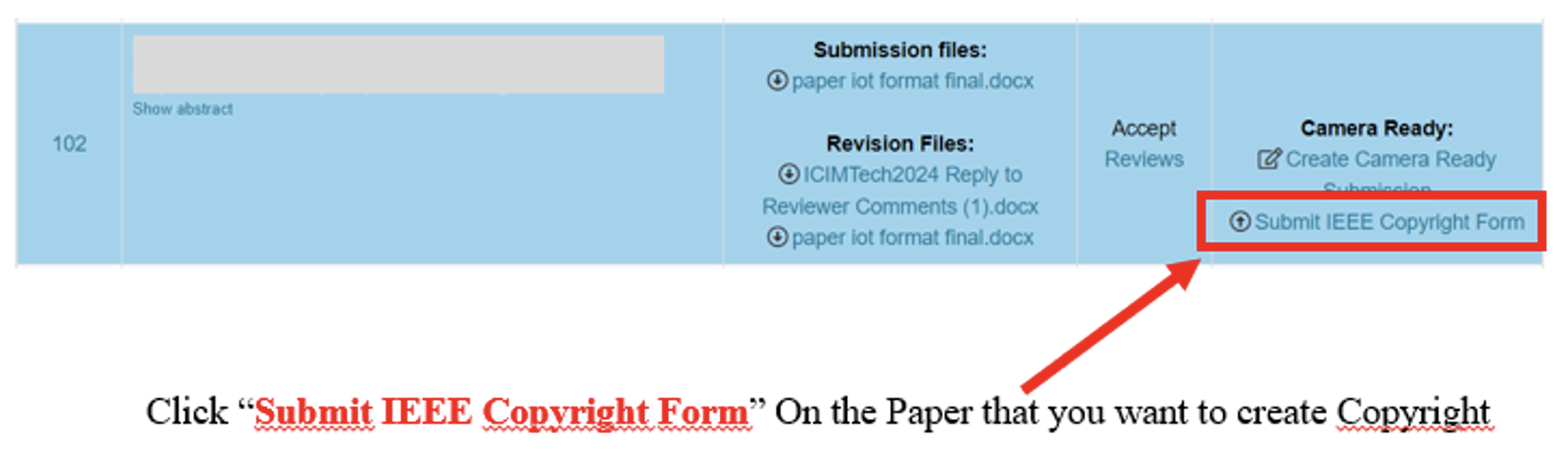
- Now, the author will be redirected to the IEEE eCF site to submit the copyright form. Make sure the order of Authors is the same as the order of Authors in the final Paper-pdf express version (Author changes are prohibited). Click “here” on the part that is colored red.
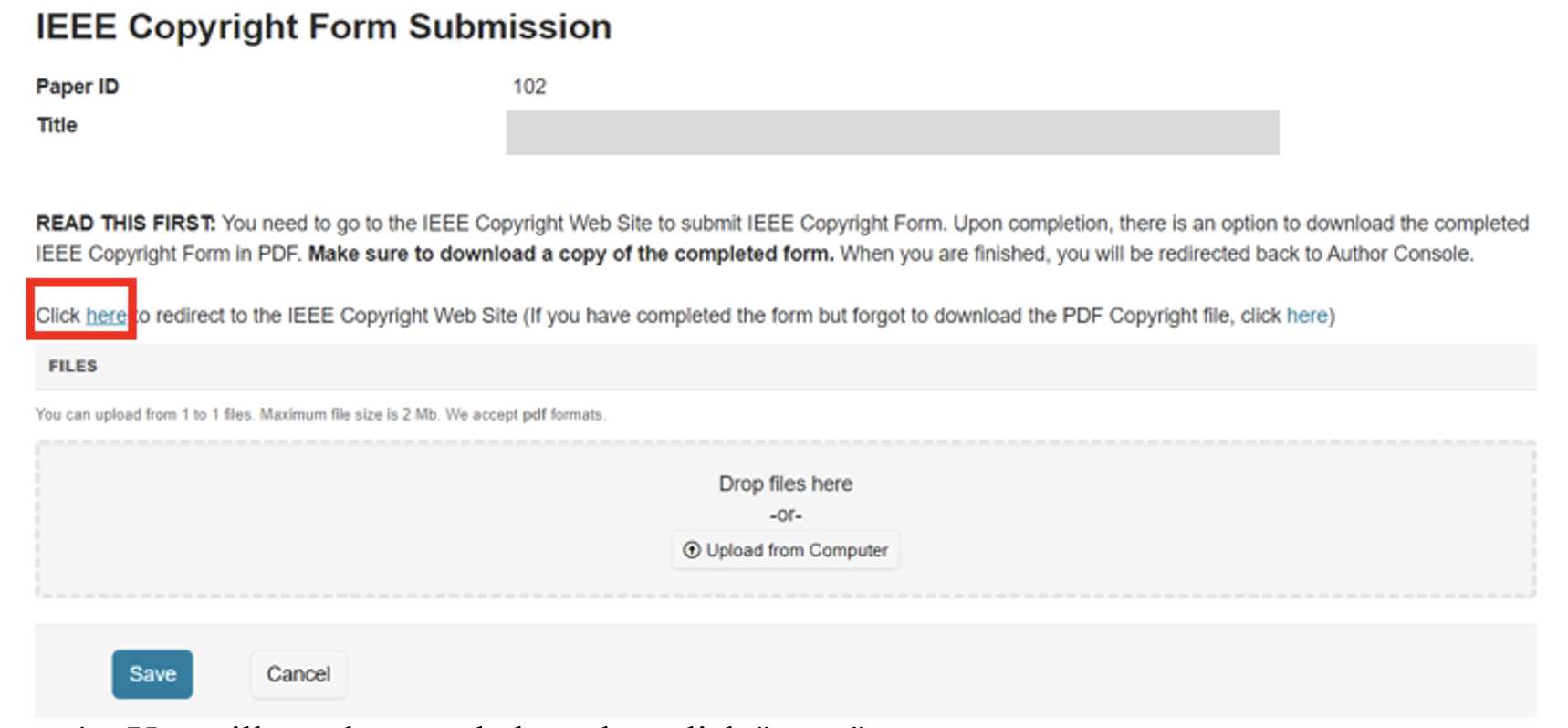
- You will see the page below, then click “start“
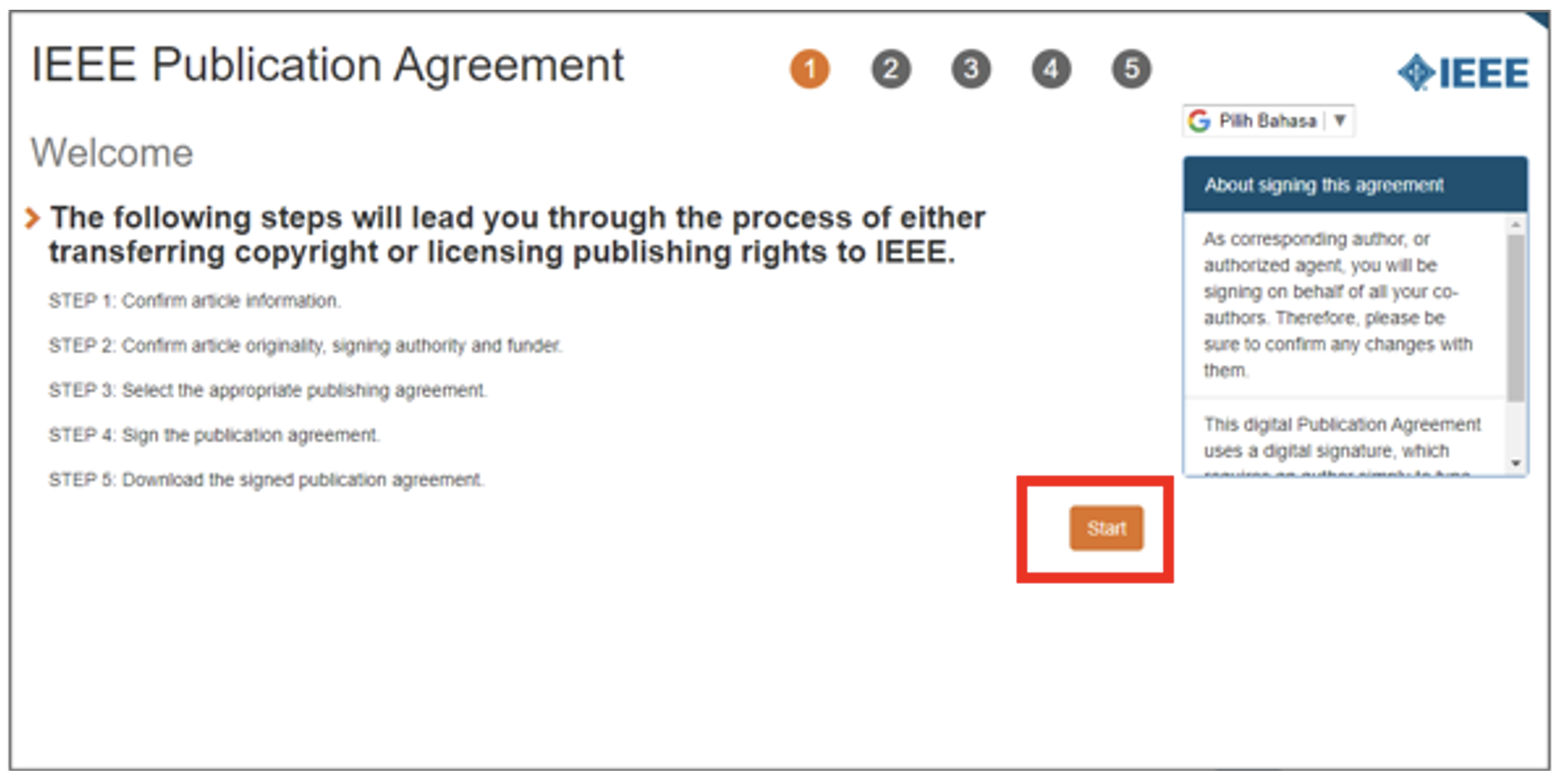
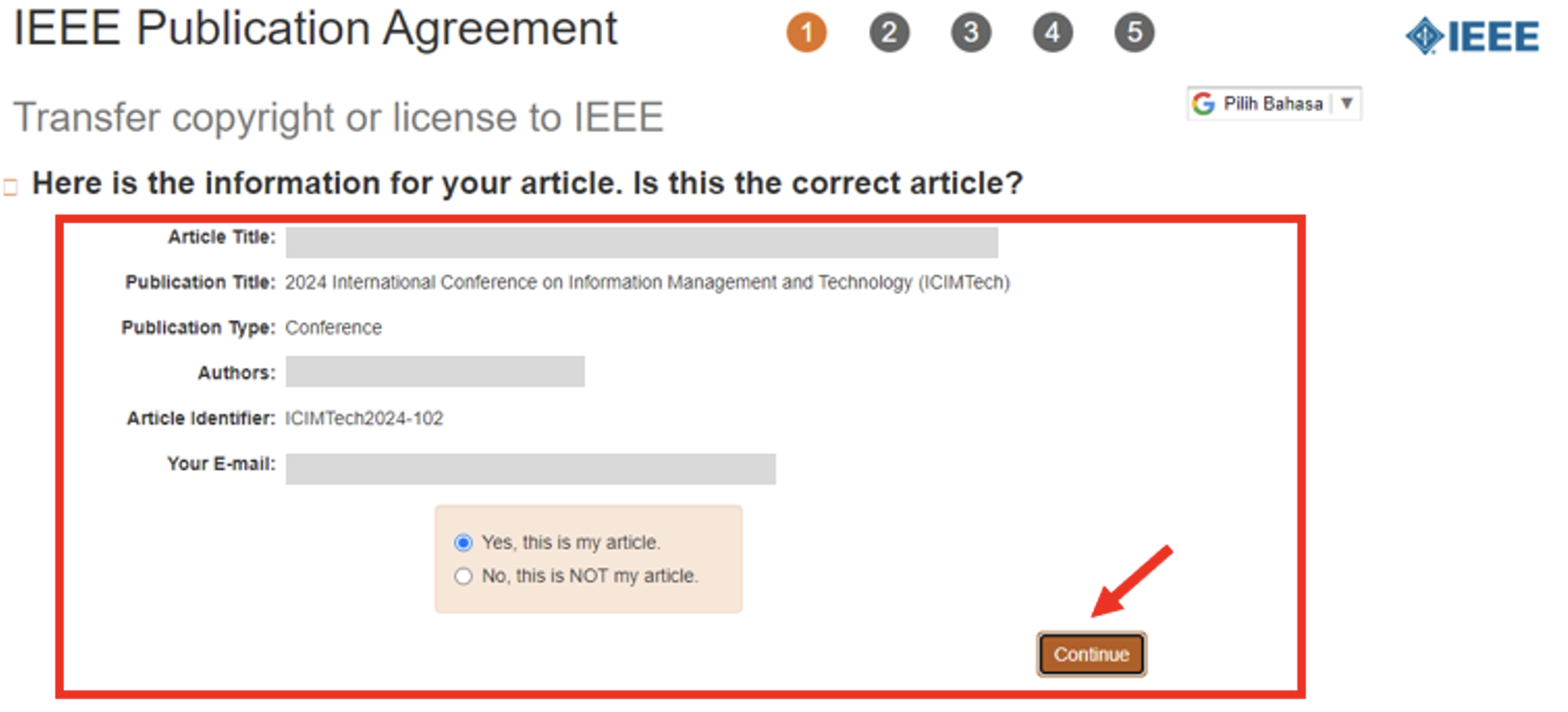
- Make sure your paper data is correct and click “continue”
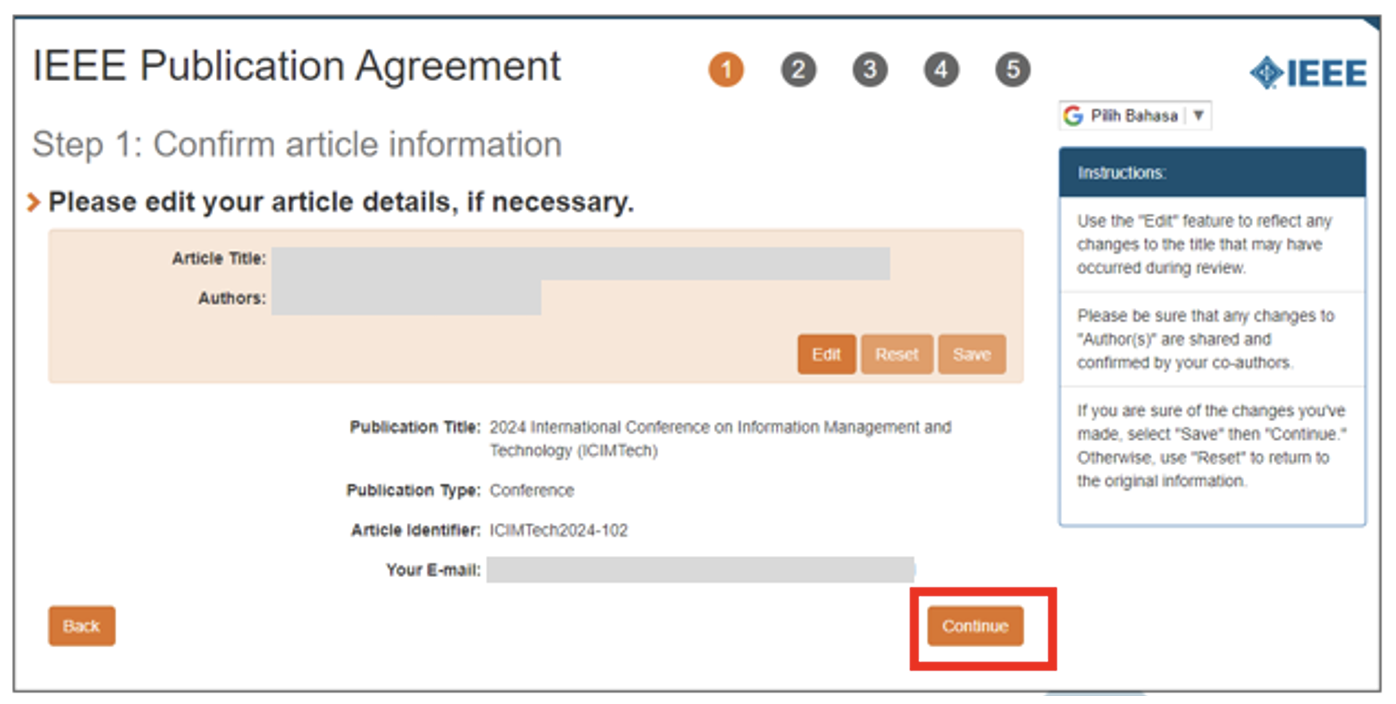
- If necessary, please edit your paper Title and Authors, but if not, please continue by clicking the “continue ” button.
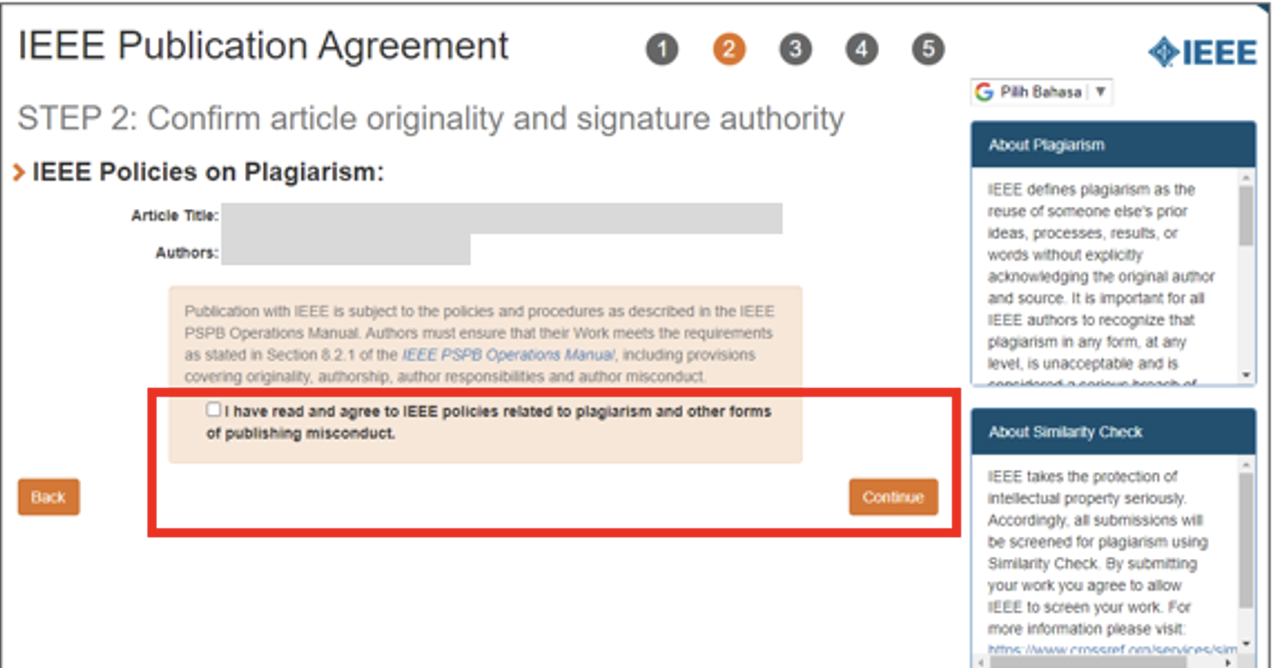
- Click on the Agreement below and Click “Continue“
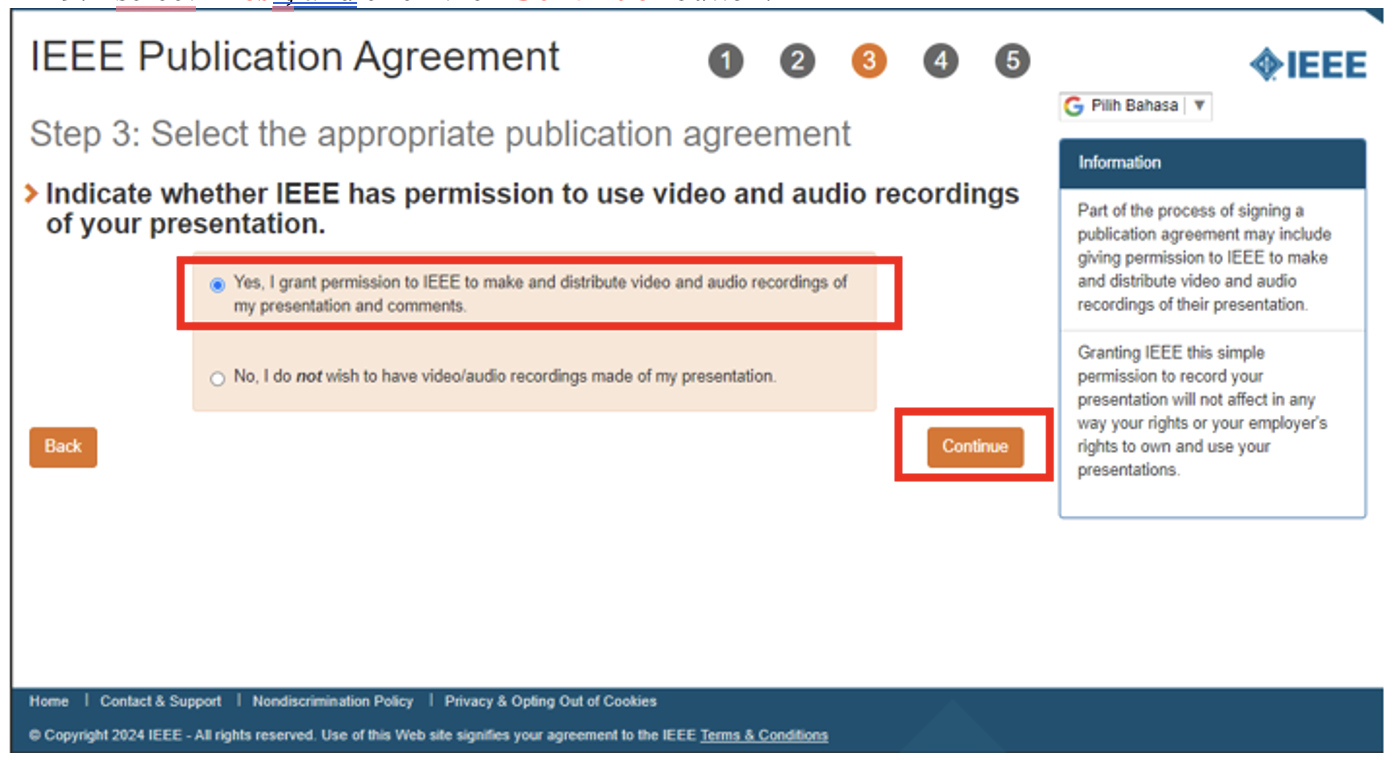
- Select “Yes” and click the “Continue” button.
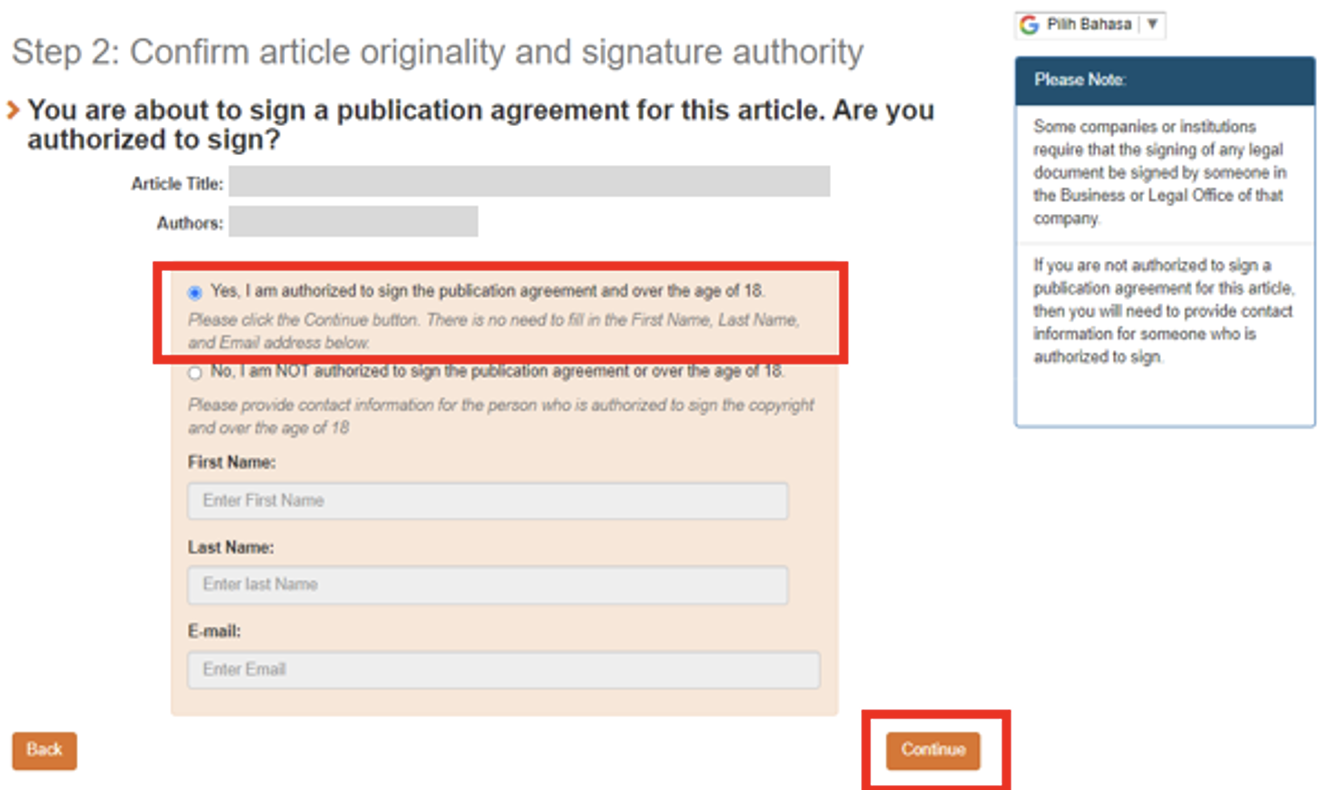
- Select “Yes” and click the “Continue” button.
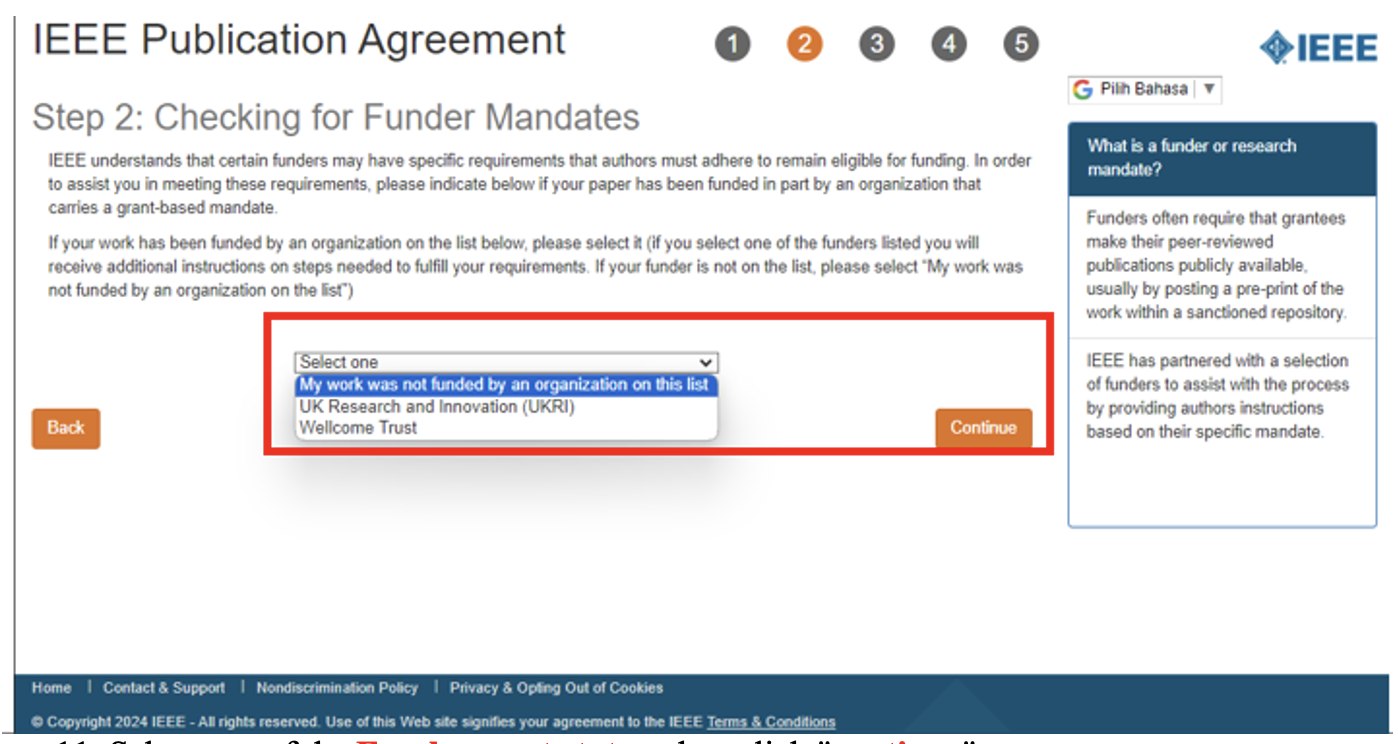
- Select one of the funder mandates that matches your paper, then click “continue“.
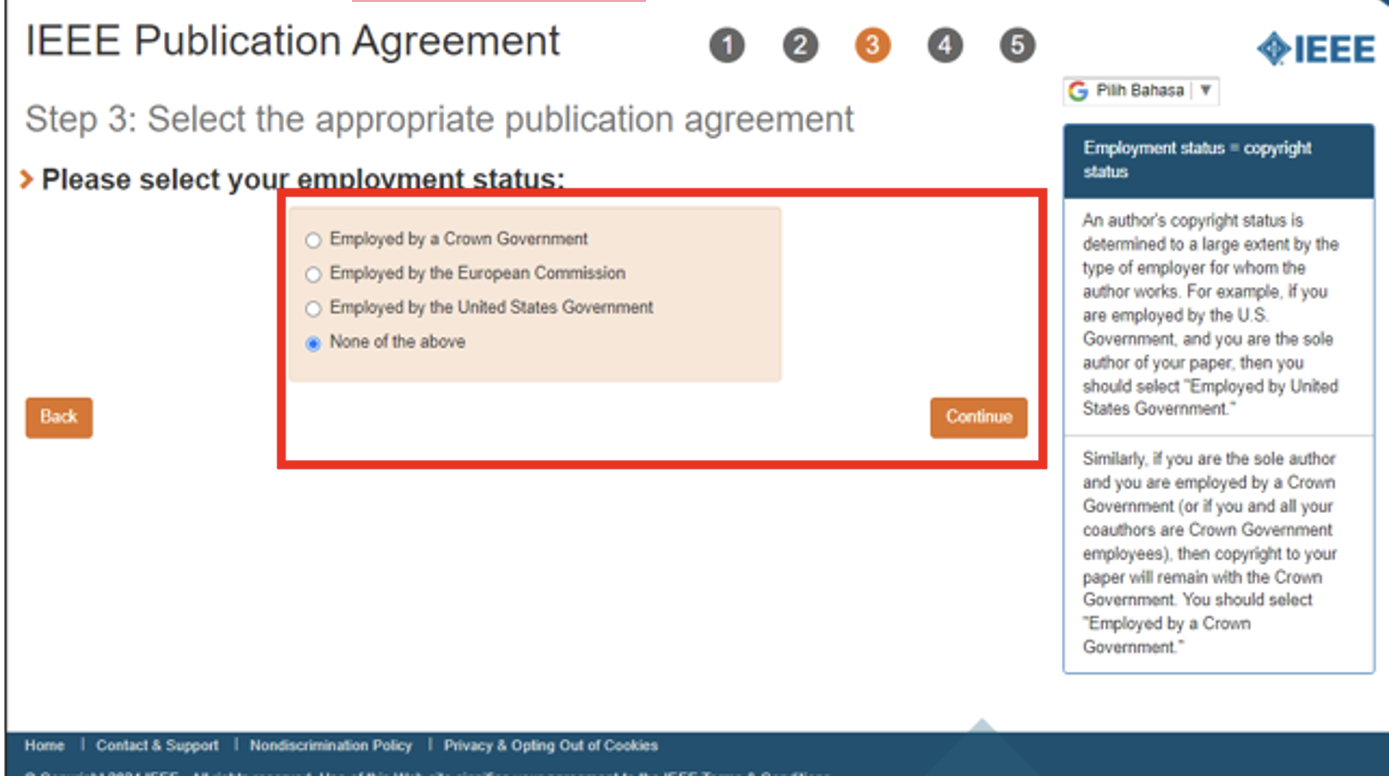
- Select one of the employment statuses, then click “continue“.
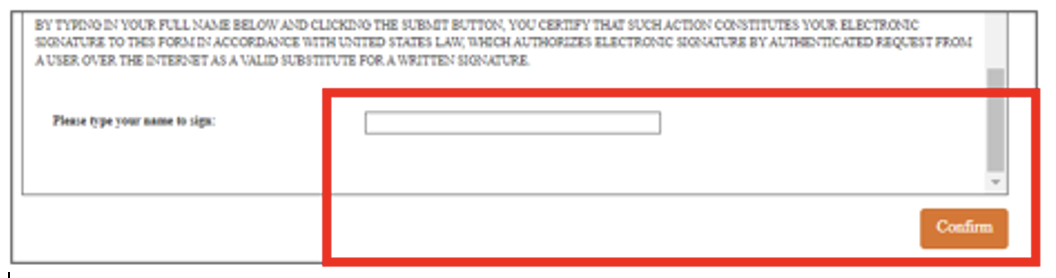
- Read the IEEE Copyright and Consent Form.
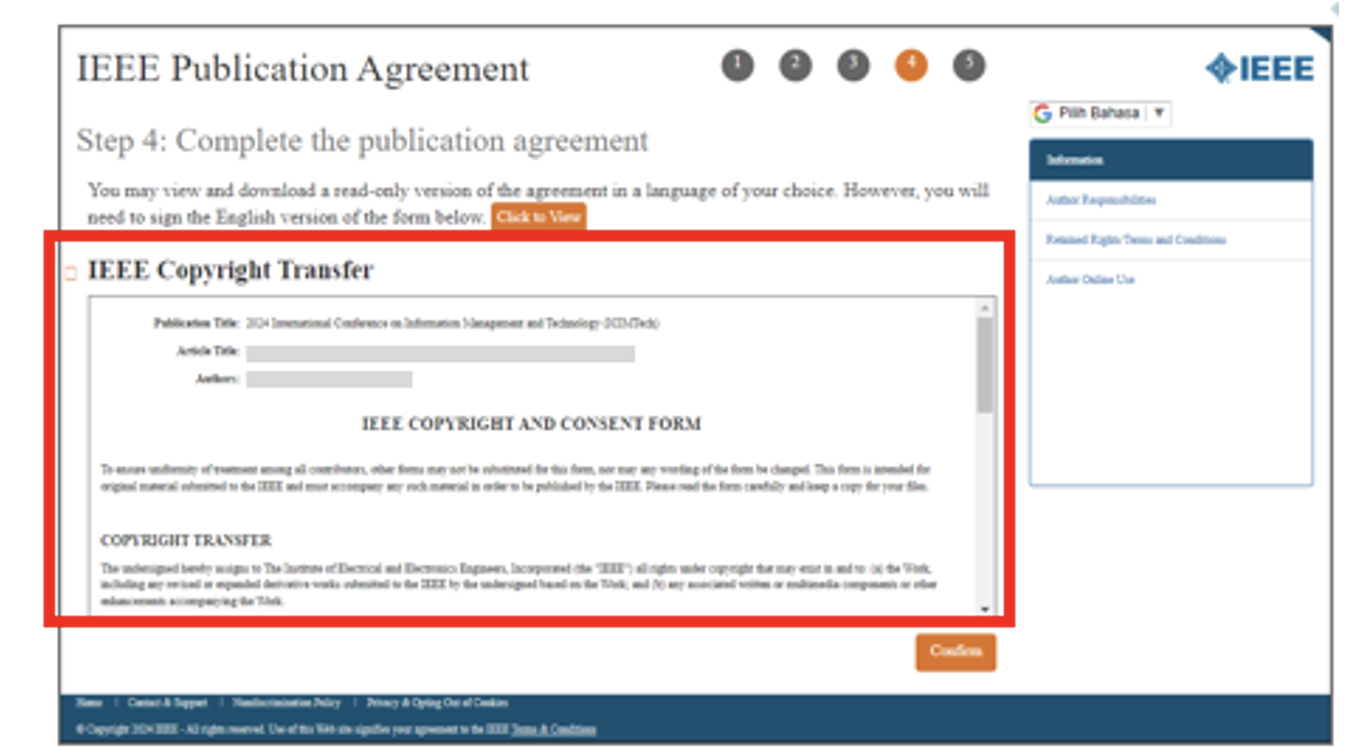
- Scroll down to the bottom part of the IEEE Copyright and Consent Form, Write your name and click “Confirm”.
- Congratulations, your E-Copyright has been successfully created. You can download the Agreement and click “done“.
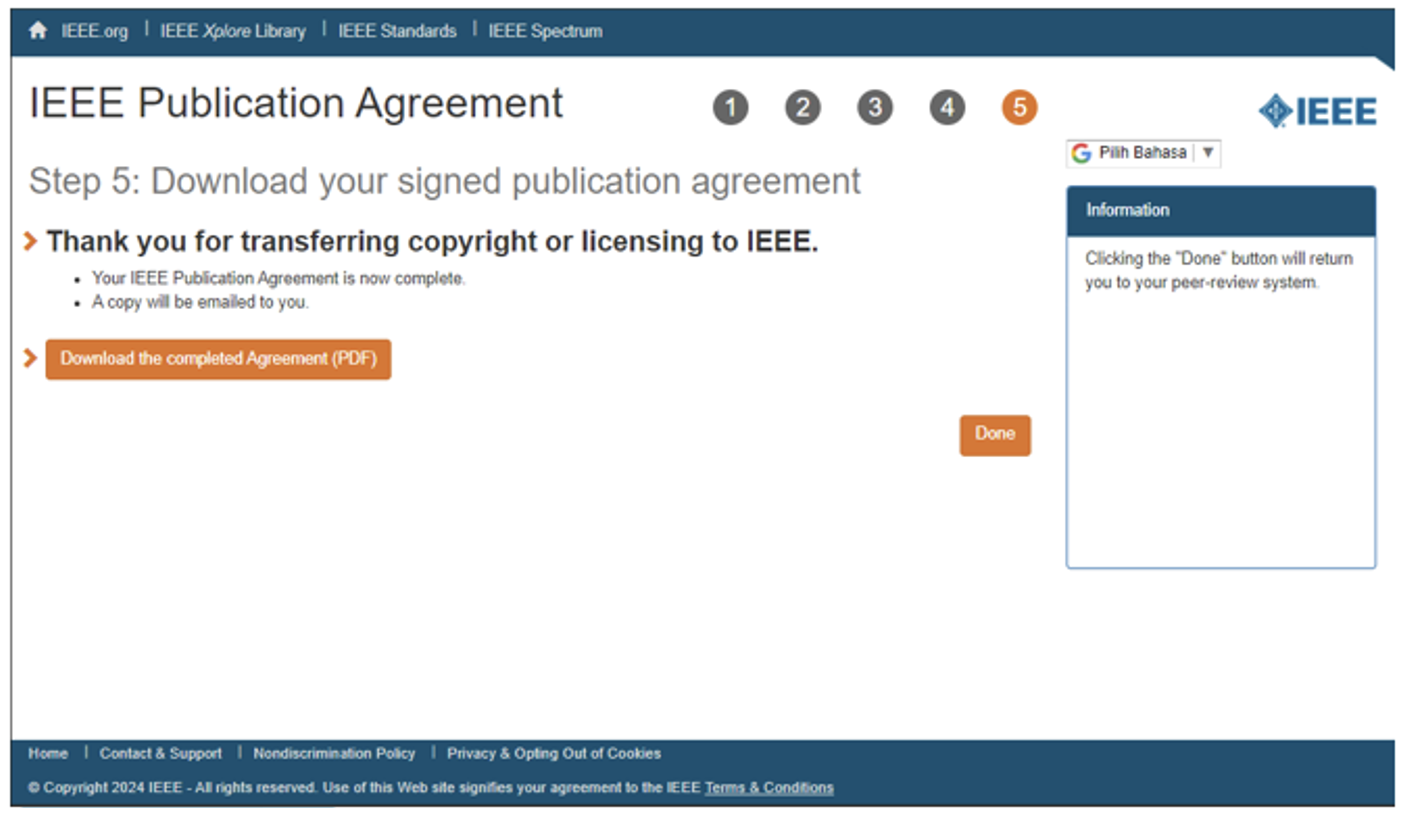
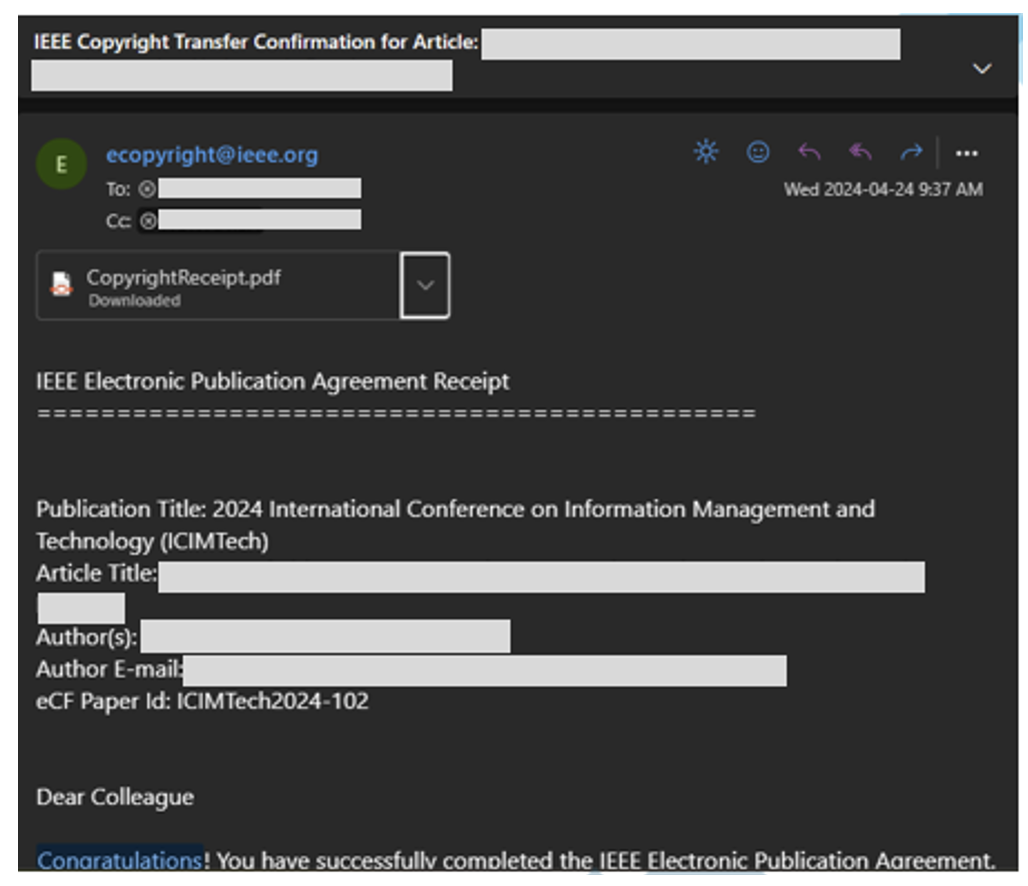
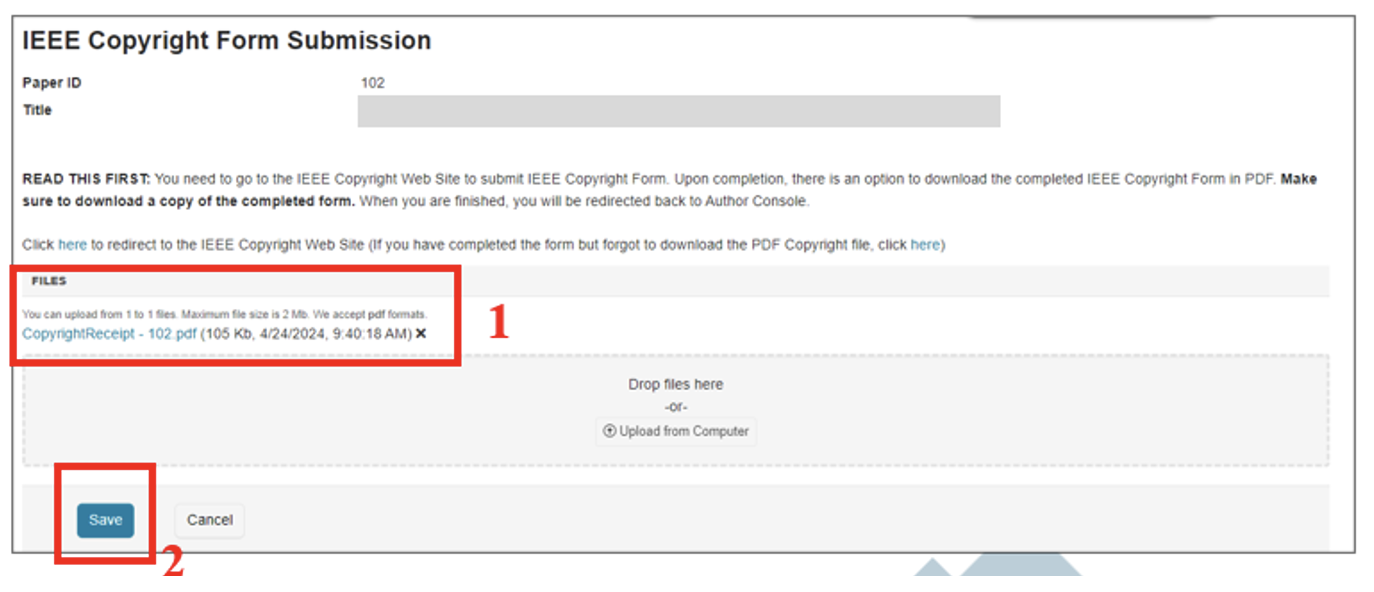
- After filling out the IEEE copyright form and the copyright agreements, there is an option to download the completed IEEE Copyright Form (the author would have also received the copyright form by email).
- Please upload it to the same page in CMT (or use the ‘drop files here’ menu). The corresponding author may submit the copyright form for all the authors of the paper.
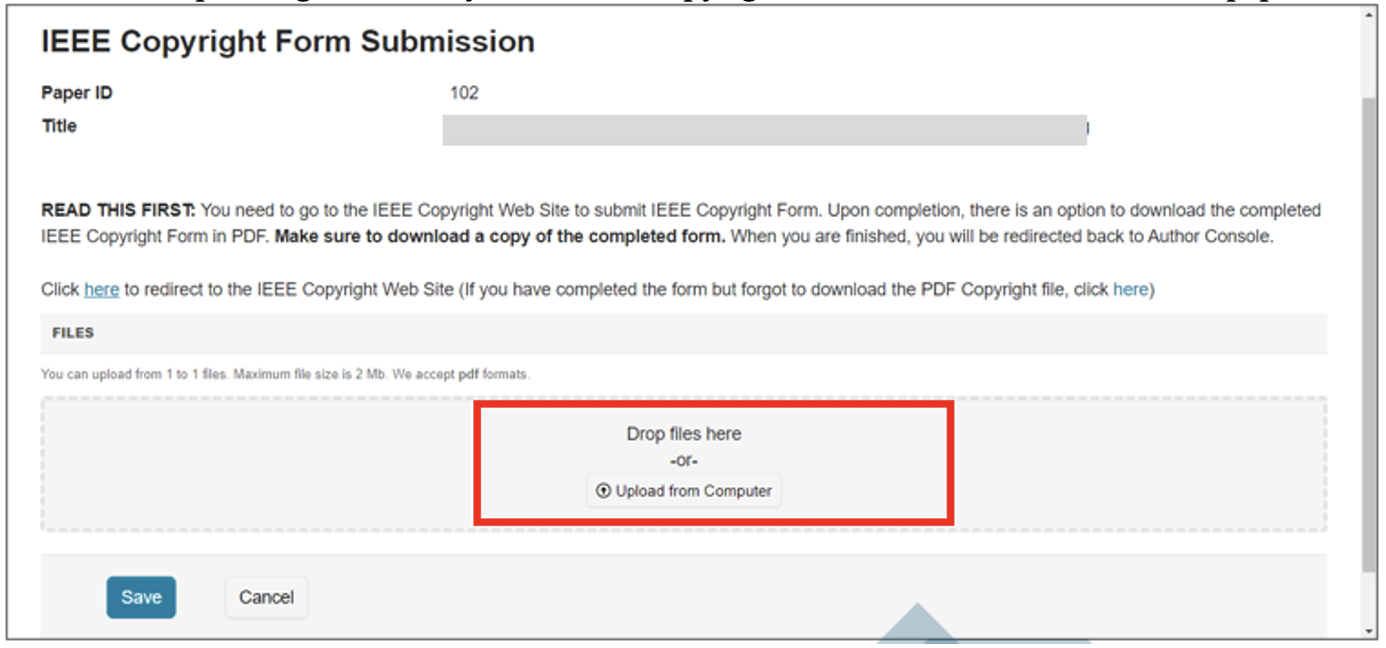
- Don’t Forget Rename file to CopyrightReceipt – [Your paper ID] and click “Save”
Registration & Payment Guideline
- The next step the author must take is the registration process. The registration process can be done via the following link:
- If you have made a payment, please confirm the payment on the following link:
- Important Notes:
- Domestic Category Valid for Indonesian Citizenship Only.
- Authors must pay the paper registration fee to participate in our conference. The fee covers the cost of one author and one paper; any additional papers must be registered separately as an “Additional Speaker.”
- Cancellation and Refund Policy: There are no refunds for cancellations of ICIMTECH-related payments.
- No refund will be given to participants who have chosen to attend onsite but have changed to Online for any reason.
- If the on-site event cannot be held due to government restrictions, the difference in fees will be refunded to participants who have registered for on-site attendance.
- Registration includes the following:
- Admission to all technical sessions.
- One electronic copy of the conference proceedings (soft copy)
- Meals and Souvenirs (onsite only)